Constrain To Component
Overview
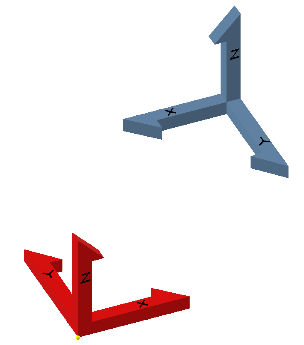
Constrain To Component constrains selected components to a base component while maintaining their current position and orientation. Each component’s origin planes are constrained to the base component’s origin planes.
Note: If the origin planes are not parallel, the command does nothing.
How It Works
- Select a base component (the reference).
- Select one or more components to constrain to the base.
- The command applies constraints between origin planes so the selected components are anchored relative to the base without changing their current pose.
Usage Instructions
- Open the assembly containing the components.
- Select the base component and the components to constrain.
- Click Constrain To Component in the Placement panel.
- Review the created constraints.
Troubleshooting
- No constraints created: Verify the origin planes are parallel between the base and selected components.
- Unexpected behavior: Check for existing constraints that interfere with the operation.
- Wrong reference: Ensure the correct base component is selected.
Examples
- Constrain a bracket to a base plate: Select both components and use the command to constrain the bracket while keeping its position and orientation.
- Constrain multiple supports to a common origin: Select the base and all supports, then run the command to constrain them.